
UPDATE: March 2026—Looks like this one's been quietly fixed. Since updating to iOS 26.3, I haven't experienced any of the music glitches mentioned in this post. Everything's running smoothly again—finally.
April 2026: Unfortunately, the glitch is back, so I don't know if it's my wi-fi or the iPhone that's problematic. Right now I'm back to playing music with only my cellular data running.
 OU'D THINK THAT IF A SONG IS DOWNLOADED TO YOUR IPHONE, IT SHOULD PLAY SMOOTHLY—no Wi-Fi required, no buffering, no interruptions. Right? Well... not exactly.
Owners of the iPhone 17 Pro Max have noticed a persistent and annoying problem: as soon as Wi-Fi is turned on, music playback can skip or glitch—even for tracks stored locally on your device. For a flagship phone this expensive, that's the kind of thing that makes you raise an eyebrow (and your blood pressure), while wondering how your $1,200+ gadget can trip over something so simple.
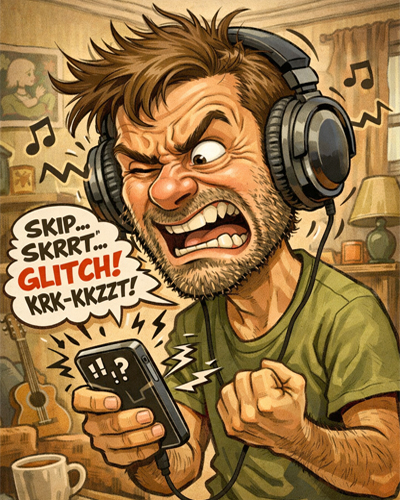
Another song, another annoying music glitch—frustration at its finest. Original AI caricature by the author.
And hello—you'd think a premium phone like this would handle something as simple as music flawlessly, something that older iPhones didn't have any problem handling. Apparently, even the fanciest tech can stumble when Wi-Fi and Bluetooth are in the mix—a problem that should have been solved back in the 1990s.
 learned this the hard way while listening to music on my Bose QuietComfort headphones. I rely on wireless audio for comfort, and yet, as soon as Wi-Fi was enabled, I started hearing tiny jumps in my songs. One after another—every few seconds or minute—and no amount of restarting the app helped. It's the kind of glitch that instantly pulls you out of the music, no matter how much you love the song.
Note: I haven't personally tested this scenario with wired headphones (unlike what's depicted in the caricature above), so it's possible the issue behaves differently without Bluetooth.
Ironically, the iPhone 17 Pro Max is juggling so many high-speed connections, background tasks, and power-saving tricks that it can trip over something as simple as local music—while older iPhones just "played" without thinking.
WHAT USERS ARE REPORTING ONLINE
If you dig through Apple forums, Reddit, and tech discussion boards, you'll see a pattern:
- Many iPhone 17/17 Pro/17 Pro Max owners are reporting Wi-Fi instability, where Wi-Fi briefly disconnects or reconnects on its own.
- These Wi-Fi glitches are often linked with Bluetooth interruptions, leading to audio stutters or skips on wireless headphones.
- Even though local music files don't need internet, the phone's background networking and connection management seem to interact with Bluetooth in ways that aren't perfect—especially on newer iOS builds.
These reports span multiple iOS versions, including iOS 26.0.1, iOS 26.1 beta, and iOS 26.2.1, showing that the issue hasn't been completely fixed yet.
WHY THIS MIGHT BE HAPPENING
Even though your music files are local, your phone's wireless radios are still active when Wi-Fi is on. Here's the thing:
- Wi-Fi and Bluetooth share the 2.4 GHz band. Even when one isn't in heavy use, the hardware still manages both signals.
- The iPhone constantly runs background tasks—checking network status, syncing subscriptions, maintaining Bluetooth connections.
- On newer iPhone models with advanced antennas and radios, this coordination isn't always seamless—and users are noticing glitches that didn't exist on older iPhones.
WHY THERE'S STILL NO PERFECT FIX
 pple hasn't officially released a definitive fix that resolves all Wi-Fi/Bluetooth audio glitches on the iPhone 17 series. Some improvements showed up in beta versions of iOS, but as of iOS 26.2.1, many users still experience this behavior.
MY WORKAROUNDS (THAT ACTUALLY WORK)
For now, the only ways I can reliably avoid the glitches are:
- Listen to music stored on your phone with Wi-Fi turned off.
- Use cellular data instead of Wi-Fi if you still need network connectivity while listening.
It's not ideal, but at least it lets you enjoy your tracks smoothly.
LISTENING REALITY
Your iPhone is juggling a lot behind the scenes, and unfortunately, that multitasking can interfere with music playback. If you own an iPhone 17 Pro Max and rely on wireless headphones, expect occasional glitches whenever Wi-Fi is on—even with downloaded music.
It's frustrating, yes—and ironic for a phone of this price—but at least you now know why your downloaded songs aren't playing as smoothly as they should. It's not you, it's the phone.
WHY THIS MATTERS
 his isn't just a minor annoyance—for anyone who spends a lot of time on Bluetooth headphones, whether commuting, working out, or relaxing at home, these small interruptions add up. One skip per song might not sound like much on paper, but in practice, it completely disrupts the listening experience.
It also highlights a bigger truth about modern flagship devices: more complexity doesn't always equal more reliability. Your phone may handle dozens of tasks at once, but it still struggles with a very simple one: playing music smoothly over Bluetooth while Wi-Fi is active.